Know before a drive fails.
Keep your files safe either way.
Keepwell watches every drive in your PC, warns you before you lose data, and keeps a copy of your important folders on another drive: updated every day, and at once when a drive shows trouble.
For Windows 10 and 1114 days free, no card neededThen $39, once
- Reads each drive's own health dataNVMe and SATA SSDs, and hard drives
- Checks every 5 minutesquietly, from the notification area
- Your files stay on your PCno file names or contents are ever sent
- Pay once for Home$39 for 1 PC, $59 for up to 3
A clear answer, not a wall of numbers
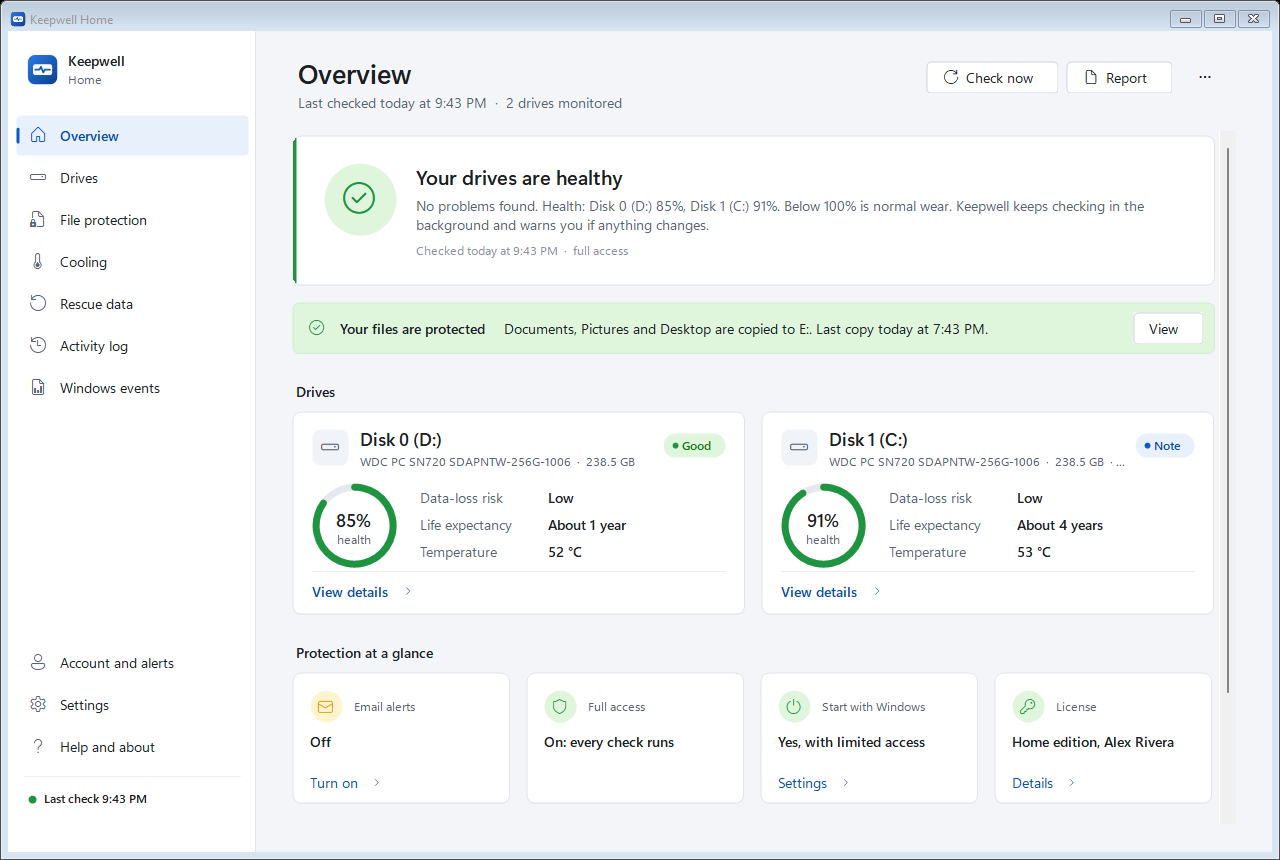
Every drive gets a health score, a data-loss risk and a life expectancy, with the reasons in plain words. You'll know whether to relax, keep an eye on it, or replace it.
Health, risk and life expectancy for every drive
Keepwell reads what each drive reports about itself: its wear, error counters, unreadable sectors, failure predictions and temperature. It adds the storage errors Windows has logged, then tells you what it all means.
- Health in %: how much of the drive's rated life is left
- Data-loss risk from Low to High, weighing every warning sign
- Life expectancy from how fast this drive is actually wearing
- A permanent history, so slow changes don't go unnoticed
Your important files, already safe on another drive
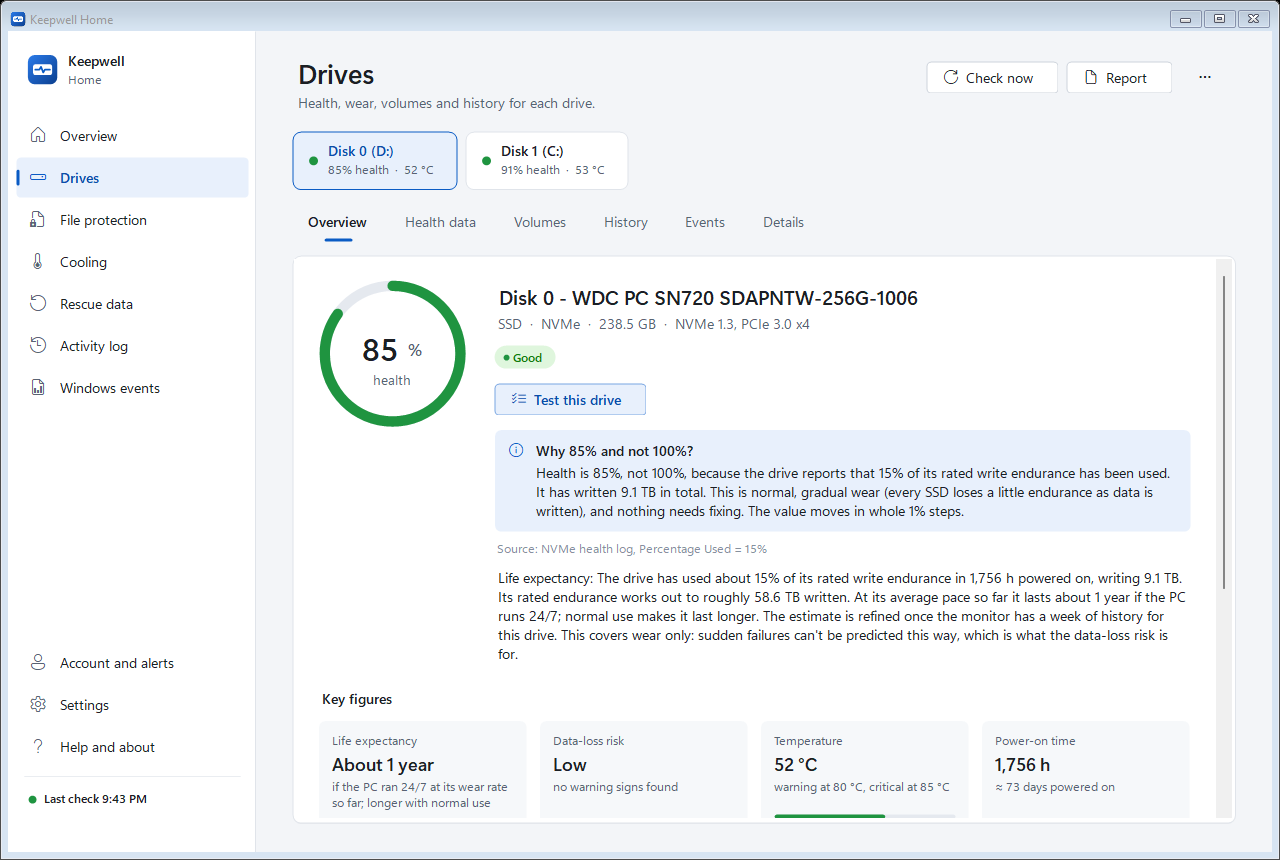
Monitoring tells you a drive is in trouble. File protection makes sure your files are already somewhere else when it happens.
A copy of your folders, kept up to date
Choose the folders that hold what you couldn't replace: documents, photos, projects. The app copies them to another drive, an external one or a network folder: every day, and at once when a drive that holds them shows trouble.
- Only new and changed files are copied, in the background at low priority
- Earlier versions of changed files are kept for 30 days
- Files you delete stay in the copy
- Plain files and folders: open them with nothing but File Explorer
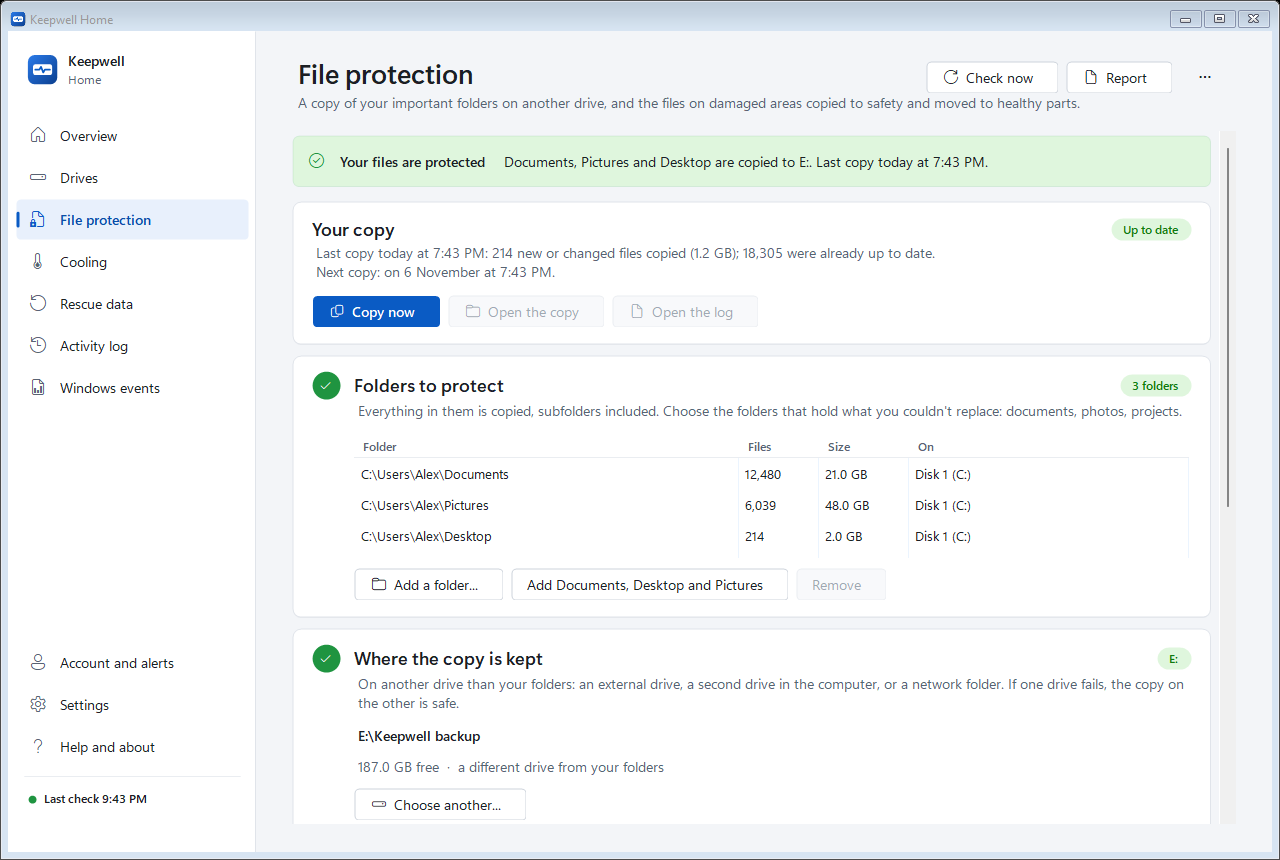
Files on damaged parts of a drive, rescued in time
When a drive starts to fail, a few damaged spots usually come first, and damage tends to spread. Keepwell works out exactly which of your files sit on those spots, and acts on its own.
- Copies them to safety on another drive while they can still be read
- Moves them to healthy parts of the same drive, checked byte for byte
- Tells you what it did, file by file, and leaves alone any file it can't read in full
Keep it or replace it? Get a straight answer.
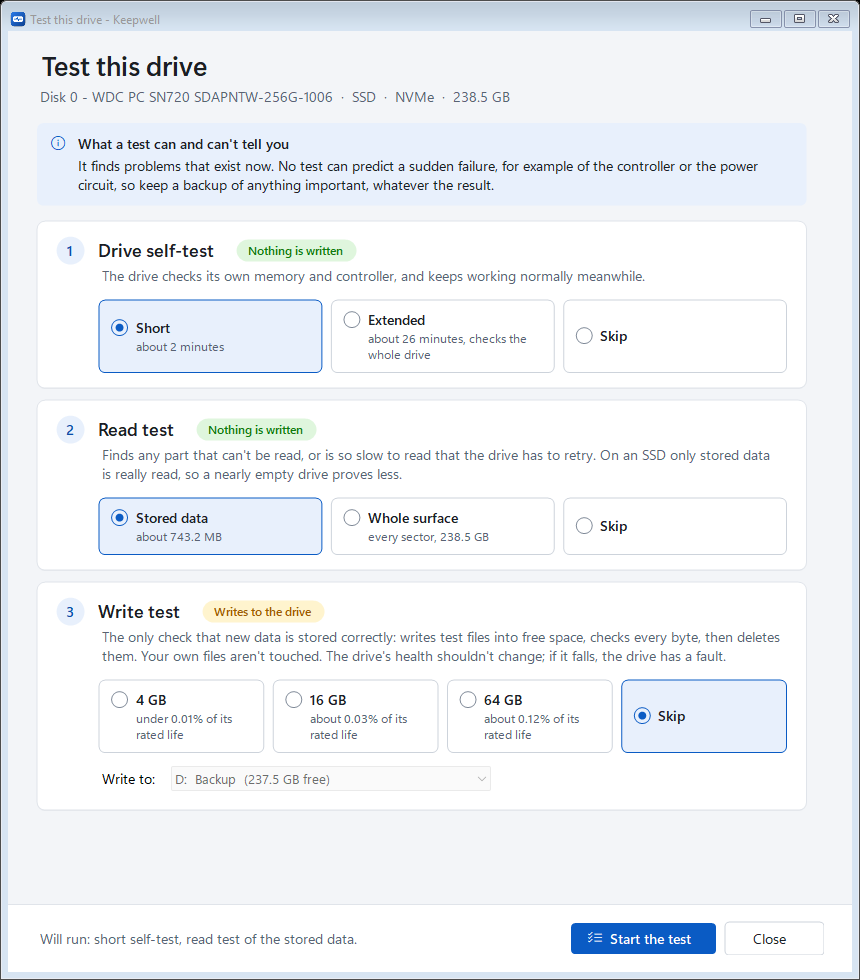
Bought a used drive, or worried about an old one? Run the drive's own self-test, a read test of everything stored on it, and an optional write test. You get a clear verdict, with the reasons.
- The self-test and the read test never write to the drive
- The write test only uses free space and never touches your files
- The result counts towards the drive's data-loss risk
Everything else you need when a drive is in trouble
Email alerts, no setup
Warnings by Windows notification and by email, even when you're away from the PC. There's no mail server to set up.
Rescue data
Copy your files off a failing drive, skipping damaged parts and coming back for them, and see which files sit on damaged areas.
Recover deleted files
Get files back from the Recycle Bin and Windows' Previous versions, or with a quick scan (deleted files, RAW drives) or a deep scan for photos, documents and videos.
History and activity log
Charts of health and temperature over time, and a permanent log of every alert, change and copy.
Temperatures and fans
Drive and processor temperatures and fan speeds, with fan control where the computer allows it.
Reports
Save or copy a full report of every drive, for yourself, a repair shop or your IT person.
Warned when it matters, wherever you are
Alerts only come when something changes: a drive's health falls, errors appear, a drive runs too hot, or your files are at risk. Each one says what happened and what to do, in plain words.
- Windows notifications, and email to you or someone you choose
- Reminders while a problem lasts, and an all-clear when it's over
- The emails describe drives only, never your files
 Keepwell
What happened
- New unreadable sectors. 8 sectors couldn't be read. Damage like this tends to spread.
What to do
- Make sure everything important is copied to another drive. File protection already copied your folders to E:. Then run Test this drive.
Disk 1 (C:)
| Health | 91% |
| Data-loss risk | ● Moderate |
| Life expectancy | About 4 years |
| Temperature | 53 °C |
Your files never leave your PC
Keepwell does its work on your computer. It only talks to our server to check your license, send the alert emails you ask for, and see whether a new version is out.
- Sent: your license key, a fingerprint of the computer (a code, not your name), the computer's name and the app's version.
- Never sent: your files, file names, folder names, or anything else stored on your drives.
- No tracking: no ads and no usage tracking in the app.
Try it free for 14 days, then pay once
The trial includes everything in Home. There's no account or card to enter: install it and choose Try it free.
Home
For one PC
Free updates for all of version 1.
- Health, risk and life expectancy
- File protection and files on damaged areas
- Test this drive
- Email alerts, no setup
- Rescue and recover
Home, 3 PCs
For the household
For up to 3 computers. Free updates for all of version 1.
- Everything in Home
- On up to 3 computers
- One account for all of them
- Move a license to a new PC any time
Business
For offices and IT
From 5 computers. $19 each from 25, $14 each from 100.
- Everything in Home
- Monitoring even when nobody is signed in
- Alerts to IT: email, Teams, Slack, webhook
- IT policy and silent deployment
- Priority support
Prices in US dollars. Sales tax or VAT may be added at checkout.
Questions
Which drives does it work with?
Internal NVMe and SATA SSDs and hard drives report the most. Drives behind USB adapters and card readers often report little or no health data; the app still watches their space and the errors Windows logs for them.
Can it predict every drive failure?
No tool can. Many drives show warning signs before they fail, and the app catches those. Some fail suddenly, for example when the controller dies: that's what File protection's copy on another drive is for. For the files you value most, keep a second copy somewhere else too, such as the cloud.
Will it slow my PC down?
No. A check takes a moment every 5 minutes, and copying runs in the background at low priority, so it gives way to whatever you're doing.
What is "full access"?
Some health data, such as SATA drive details, error counters and fan sensors, can only be read with administrator rights. The app asks Windows once; after that it starts with full access on its own. NVMe health data works without it.
What happens when the free trial ends?
Monitoring stops until you buy a license. Your settings, drive history and the copies of your files are all kept: enter your license key and everything carries on.
Can I move my license to a new computer?
Yes. Remove it from the old computer (Help and about, then License), or sign in with your account on the new one.
Does it run on a Mac or Linux?
No. It's made for Windows 10 and 11 (64-bit).
Start watching your drives today
Free for 14 days. Installs in under a minute.